Accepting 2 selective client engagements for Q3 2026

Ultimate Guide to HKUDS Vibe Trading – Complete setup and Run (2026)
A complete, practical guide to setting up and vibe coding your own AI trading agent using the open-source HKUDS Vibe-Trading framework.

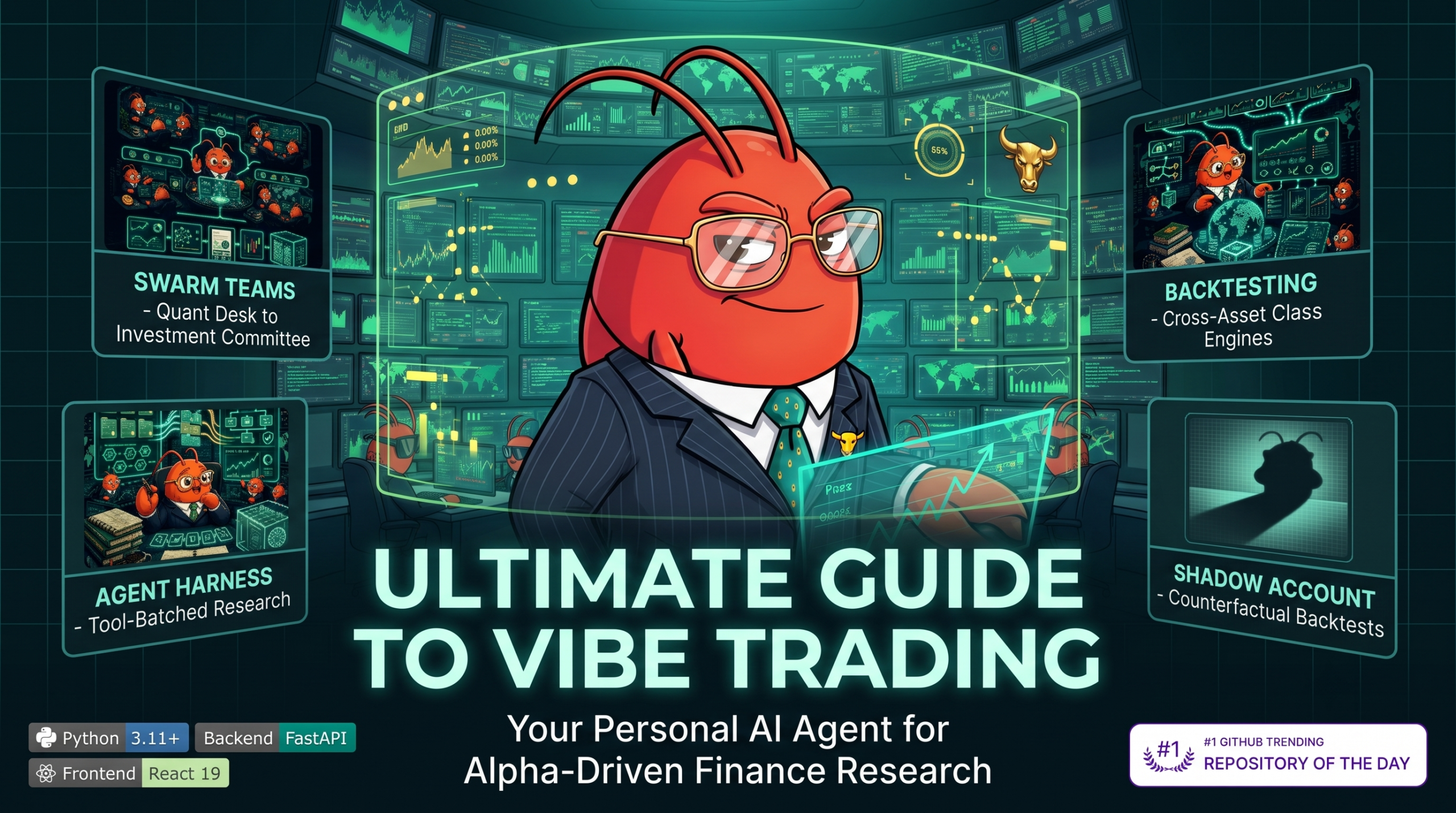
One Command to Empower Your Agent with Comprehensive Trading Capabilities
Look, the way we interact with code is fundamentally shifting. If you’ve been paying attention to the AI space over the last 12-18 months, you’ve probably heard the term “vibe coding.” Instead of wrestling with syntax errors and spending hours writing boilerplate, you just talk to an AI, describe the “vibe” or logic of what you want, and let the agent handle the heavy lifting. Now, apply that to quantitative finance.
That is exactly what the researchers at the Data Intelligence Lab at the University of Hong Kong (HKUDS) have done. They dropped an open-source bombshell called Vibe-Trading. It’s a self-hosted, incredibly powerful personal trading agent that lets you build, backtest, and deploy algorithmic trading strategies using natural language.
If you want to spin up a personalized hedge fund on your laptop without needing a PhD in financial engineering, you are in the right place. In this practical guide, I am going to walk you through every single part of the HKUDS Vibe-Trading framework. We’ll cover the setup, the agent swarms, the 456+ alpha factors, and how you can actually start vibe coding your own trading strategies by the end of today.
What on Earth is Vibe Coding?
So, what exactly is vibe coding? It sounds a bit informal, almost like a joke, but it is a very real, very serious shift in software development. Vibe coding means you stop writing every line of code manually. You sit back, provide a high-level natural language prompt to a Large Language Model (LLM), and let the agent figure out the implementation details.
When applied to trading, vibe coding means you don’t need to manually string together API calls to Yahoo Finance, write pandas dataframes to calculate moving averages, or carefully construct order execution logic for Interactive Brokers. Instead, you just tell your agent: “Look at the recent earnings reports for Nvidia, compare their gross margins against AMD, run a discounted cash flow model, and if the stock is undervalued by 10%, execute a limit buy order for 50 shares.”
The AI agent interprets your intent, selects the right tools from its arsenal, pulls the data, crunches the numbers, and executes the trade. You are directing the orchestra; the agent is playing the instruments.
Why the HKUDS Vibe-Trading Agent Changes Everything
There are plenty of AI trading bots out there. Most of them are either closed-source black boxes that charge you a monthly fee, or they are incredibly rudimentary scripts that just ask ChatGPT whether the market is going up or down.
The HKUDS Vibe-Trading repo is entirely different. It is a massive, highly structured, open-source framework designed for real, institutional-grade quantitative work. It is built to be a true personal trading agent.
Here is a quick rundown of why this specific repository has blown up on GitHub:
- Self-Hosted and Private: You run it on your own machine. Your API keys for your brokers and your proprietary trading ideas stay with you. You aren’t feeding your edge to a third-party server.
- Massive Tool Library: The agent has access to over 68 built-in tools. We are talking about everything from basic price fetching to deep fundamental analysis, options pricing, and sentiment scoring.
- The Alpha Zoo: It comes packed with over 456 quantitative alpha factors out of the box. You don’t have to code MACD, RSI, or complex cross-sectional momentum indicators from scratch. The agent knows them all.
- Agent Swarms: It doesn’t just use one LLM prompt. It uses agent swarms (orchestrated via frameworks similar to LangGraph/LangChain) where different sub-agents handle specific tasks like risk management, data extraction, and order execution.
- Desktop Electron Shell: Recently, the team added a sleek Desktop Electron shell, giving you a beautiful graphical interface instead of forcing you to live purely in the terminal.
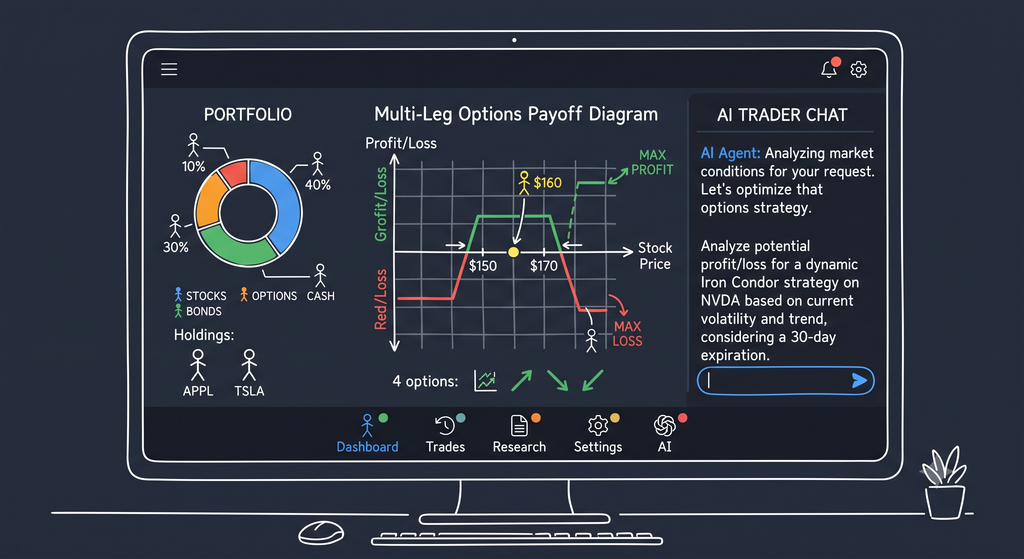
Under the Hood: How Vibe-Trading Actually Works
Before we set it up, you need to understand how Vibe-Trading actually thinks. It relies on a few core architectural pillars to make sure it doesn’t just hallucinate wildly and lose all your money.
The Multi-Agent Swarm
A single LLM is bad at trading. If you ask a single instance to analyze a stock, manage risk, and execute an order simultaneously, it gets confused. It will forget constraints or make up data.
Vibe-Trading solves this by using a swarm architecture. When you give the system a complex task, an orchestrator agent breaks it down.
- The Data Agent uses tools to pull 13F filings, price data, and news.
- The Quant Agent runs the numbers, perhaps utilizing the built-in
quantlibfor options pricing or Value at Risk (VaR) calculations. - The Risk Agent checks your portfolio mandate. (e.g., “Wait, this trade violates our maximum exposure rule!”)
- Finally, the Execution Agent handles the actual broker API calls.
This division of labor makes the system incredibly robust.
The 68+ Built-in Tools and 456+ Alpha Factors
The agent is only as good as the tools it can use. Vibe-Trading gives the LLM a massive toolbelt, covering almost every facet of quantitative and fundamental trading.
The 68+ Built-in Tools include:
- Fundamental Valuation: Engines like
run_dcf(Discounted Cash Flow),run_comps(comparable company analysis), and full three-statement financial modeling. The beautiful part? If an input is missing, the engine explicitly marks the model as “NOT RUNNABLE” rather than silently defaulting to a zero and ruining your valuation. - Data Scraping & Analysis: Native SEC 13F parsers (with quarter-over-quarter diffs), predictive market probability aggregators, and real-time news scraping.
- Options & Derivatives: The
quantlibtool calculates multi-leg options payoffs, spot vs. Implied Volatility (IV) scenarios, and live options chains. - Risk Metrics: Tools for calculating Value at Risk (VaR), Conditional VaR (CVaR), Extreme Value Theory (EVT), and comprehensive portfolio x-rays.
- Execution: Deep broker integrations allowing direct-from-prompt market, limit, and stop orders through connectors like IBKR, Alpaca, eToro, and Futu.
Read – How to setup Ollama in andriod
The Alpha Zoo (456+ Quantitative Factors):
For quantitative analysis, the agent can dip into what the creators call the “Alpha Zoo.” You don’t have to code complex statistical arbitrage indicators from scratch. The agent knows them all.
- Momentum Factors: Cross-sectional ranking, time-series momentum, and trend-following indicators.
- Mean Reversion: RSI, Bollinger Bands, and statistical deviations from moving averages.
- Volume & Liquidity: VWAP derivations, order book imbalance metrics, and Chaikin Money Flow.
- Volatility Factors: Average True Range (ATR), historical volatility clustering, and GARCH models.
If you want to vibe code a momentum strategy, you just ask the agent to apply specific momentum factors across a universe of stocks. It natively handles the data alignment, the look-back periods, and the cross-sectional ranking so you don’t introduce look-ahead bias into your backtests.
Step-by-Step Setup: Getting Vibe-Trading Running on Your Machine
Alright, let’s get our hands dirty. Setting this up is surprisingly straightforward, but you need to follow the steps carefully so the agent has exactly what it needs.
Step 1: The Basic Prerequisites
You are going to need a few things before we install the package:
- Python: Ensure you have Python 3.11 or higher installed on your machine.
- An LLM API Key: Vibe-Trading is the body, but it needs a brain. You will need an API key from a supported provider (OpenRouter, DeepSeek, OpenAI, Anthropic, Gemini, Groq, etc.). Or, if you want it entirely local and free, you can use Ollama.
- A Broker Account: If you want to trade real or paper money, you need an account. The platform supports Interactive Brokers (IBKR), Alpaca, eToro, Futu, Binance, OKX, and more.
Step 2: The Quick Installation
Open your terminal. You don’t need to clone the entire repository unless you want to mess with the source code or use Docker. The HKUDS team has packaged it neatly on PyPI.
Run this simple command:
pip install -U vibe-trading-aiThis will pull down the latest version, including all the quantitative libraries, the agent orchestration logic, and the UI components.
Step 3: Connecting Your LLM Brain
Once installed, you need to configure your environment variables. Vibe-Trading provides an interactive setup for this.
In your terminal, run:
vibe-trading initThis interactive wizard will help you generate your .env file. Under the hood, it configures your chosen provider. For example, if you were setting it up manually, your .env would look like this for DeepSeek:
LANGCHAIN_PROVIDER=deepseek
DEEPSEEK_API_KEY=sk-your-super-secret-key-here
LANGCHAIN_MODEL_NAME=deepseek-v4-pro
DEEPSEEK_BASE_URL=https://api.deepseek.com/v1
Once configured, you can launch the interactive TUI (Terminal User Interface) by just typing:
vibe-tradingOr start the web UI:
vibe-trading serve --port 8899Step 4: Hooking Up Your Broker (Optional)
To actually execute trades or pull real-time portfolio data, you need to configure a broker connector. Vibe-Trading uses a secure connector architecture.
For example, to view available connectors and use one, you can utilize the CLI:
vibe-trading connector list
vibe-trading connector use alpaca
Your API keys for these brokers are securely managed and are never exposed in plain text in your configuration files. If you install community connectors, you can validate and install them via vibe-trading connector init and install.
Your First Vibe Coding Session: Building a Trading Agent
Now for the fun part. You have the software installed. You have the brain connected. You have the broker hooked up. Let’s actually do some vibe coding.
You can launch the web UI or the CLI, which gives you a chat interface. We are going to write prompts to direct our agent.
Example 1: The “What’s Happening” Agent
Let’s start simple. We just want the agent to give us a rundown of a specific stock.
Your Prompt:
“Give me a comprehensive overview of Tesla (TSLA) today. Pull the latest price data, summarize the most recent news articles, and calculate the 14-day RSI and MACD. Tell me if the technicals look overbought or oversold.”
What happens behind the scenes:
- The agent parses your intent.
- It calls the
get_market_datatool to pull TSLA’s daily candles. - It calls a news scraper tool to fetch the latest headlines.
- It calls the
technical_indicatorstool from the quantlib, applying RSI and MACD to the price series. - It synthesizes all this data and writes a clear, human-readable summary for you, directly answering your question.
You didn’t write a single line of pandas code. You just asked for it.
Example 2: The Fundamental Analyst
Let’s push it further and do some deep fundamental analysis.
Your Prompt:
“I want to evaluate Microsoft (MSFT). Pull their last 4 quarters of earnings. Run a Discounted Cash Flow (DCF) model using a 10% discount rate and a 2% terminal growth rate. Then, pull the SEC 13F filings to see what the institutional money has been doing with MSFT over the last quarter. Write a one-page investment memo with your findings.”
What happens behind the scenes:
This is where Vibe-Trading flexes its muscles. It reaches into its built-in SEC 13F tool, calculates quarter-over-quarter diffs in institutional ownership, and then uses the run_dcf engine. The swarm architecture ensures that if the agent fails to find a specific input (like a missing cash flow line item), it will explicitly tell you rather than faking the math. Finally, it formats the output into a professional investment memo.
Example 3: The Options Lab
The recent updates to Vibe-Trading introduced a phenomenal feature called the Options Lab. It has a built-in pricing engine that handles multi-leg options strategies, Greeks, and payoff diagrams.
Your Prompt:
“I am moderately bullish on Apple (AAPL) over the next 30 days, but I want to limit my downside. Construct a bull call spread expiring next month. Show me the payoff diagram matrix across different implied volatility scenarios, and calculate the portfolio Greeks for this position.”
The agent will pull the live options chain, select the appropriate strikes, run the Black-Scholes pricing model (via its quantlib_call tool), and output a scenario matrix showing exactly how much money you stand to make or lose at different price points and volatility levels.
Backtesting Your Vibes Without Losing Your Shirt
Before you let an autonomous AI touch real money, you have to backtest it. Vibe-Trading has an incredibly robust backtesting engine built specifically for this.
The Shadow Account
When you run a backtest, the system creates a “Shadow Account.” This is a sandboxed environment that perfectly mimics a real brokerage account. It tracks cash balances, handles fractional shares, applies trading fees, and respects lot rounding.
The beauty of the Shadow Account is that it splits mixed markets by settlement currency without inventing fake FX aggregations. If you are trading US stocks and Hong Kong stocks in the same backtest, it tracks USD and HKD separately.
Running a Full Backtest
To run a backtest, you can use the built-in evidence-gated Strategy Discovery feature. You vibe code your strategy rules, and the agent tests them over historical data.
Your Prompt:
“Create a daily trading strategy for the S&P 500 constituents. Every day, rank the stocks by their 30-day momentum. Buy the top 20 stocks and short the bottom 20. Equal weight the portfolio. Run a backtest for the year 2025. Ensure we rebalance daily, but only if the target weights drift by more than 2% to save on fees.”
The agent handles the cross-sectional ranking, manages the survivorship bias (by only looking at constituents at that specific time), and executes the trades in the Shadow Account.
When it finishes, it doesn’t just hand you a confusing CSV file. Vibe-Trading generates a massive Run Detail dashboard. You get four tabs:
- Factor Research: Information Coefficient (IC) series, quantile group equity, and pairwise correlation matrices.
- Positions: An interactive pie chart of your weights on a date slider, and sector net-exposure bars.
- Tearsheet: A beautiful monthly-returns heatmap and a list of your top 5 drawdowns.
- Dashboard: Interactive KPIs, rolling Sharpe ratios, and the full trade ledger.
You get institutional-grade reporting, all from a single natural language prompt.
A Visual Demo: See It In Action
Before we dive into the deep technical capabilities, seeing is believing. Here are two quick examples of how fluid the vibe coding experience is with Vibe-Trading. You can watch the AI instantly interpret a prompt, run the backtest, and argue out a trading strategy among its internal agents:
- Natural-Language Backtest: Watch Demo Video 1
- Multi-Agent Swarm Debate: Watch Demo Video 2
These are recorded directly from the Web UI and CLI.
Advanced Capabilities You Shouldn’t Ignore
Once you get comfortable with basic vibe coding, you can start exploring the incredibly deep architecture of the HKUDS framework. It is not just a toy wrapper around an LLM; it is a full-fledged quantitative research environment.
The Desktop Electron Shell
While the web UI is great, the Desktop Electron Shell is where the power users live. It provides a secure, packaged environment with its own embedded Python runtime. The best part? It uses safeStorage to manage your API keys, meaning your sensitive broker credentials are encrypted by your operating system and never exposed to the renderer process.
The Local Multi-Broker Portfolio Dashboard
Vibe-Trading now aggregates your holdings across up to 13 supported broker connections. The read-only /portfolio page creates immutable snapshots with per-source provenance, valuing your entire net worth in USD or CNY with CSV export capability. The data is stored locally in portfolio.sqlite3, and you can even query this via the portfolio_summary agent tool to generate risk x-rays automatically.
Supported read/paper and bounded-live brokers include:
- Interactive Brokers (IBKR): Through local TWS / Gateway.
- Robinhood Agentic Trading: Through remote MCP with OAuth.
- Tiger, Alpaca, OKX, Binance, Futu, eToro, MetaTrader 5: Full read, paper, and bounded live support.
- Longbridge, Dhan, Shoonya, Trading 212: Strictly read-only or paper trading.
30 Preset Trading Teams (Agent Swarms)
Don’t want to rely on a single LLM to make all your decisions? Spin up an entire trading floor. Vibe-Trading comes with 30 preset swarm teams, including:
- Investment Committee: A bull and a bear debate a thesis, a risk manager reviews it, and a PM makes the final call.
- Crypto Trading Desk: Agents specialized in funding rates, liquidations, and flows report to a crypto risk manager.
- Macro Rates & FX Desk: Specialized agents analyze interest rates, foreign exchange, and commodities.
- Quant Strategy Desk: One agent screens factors, another runs the backtest, and a third audits the risk.
10 Backtest Engines for Any Asset Class
The agent can route your strategy to the correct backtest engine automatically. Vibe-Trading ships with engines tailored for:
- China A-Shares (ChinaA): Handles T+1 settlement, price limits, and pre-ST filtering.
- Global Equities (GlobalEquity): For US, HK, and Canadian markets with same-session trading.
- India Equities (IndiaEquity): T+1 delivery, circuit bands, and strict STT/stamp/SEBI cost stacks.
- Korea Equities (KoreaEquity): KOSPI/KOSDAQ with precise execution-time bands and 0.20% tax.
- Vietnam Equities (VietnamEquity): HOSE market with T+2 holds and ±7% tick grids.
- Crypto: Handles funding settlements for spot and USD-M perpetuals.
- Futures (China & Global): Full margin and contract multiplier support.
- Forex: via MT5 loaders.
- Options Portfolio: Multi-leg strategies and Greeks.
- Composite Engine: Mix A-shares and crypto in the same backtest with a shared capital pool.
The Deep Quant Library
Vibe-Trading doesn’t just ask the LLM to guess math formulas; it provides 286 tested functions across 19 modules inside src/quantlib. When you ask the agent to run an analysis, it imports these deterministic math functions:
- Options Math: Black-Scholes pricing, implied volatility inversion.
- Fixed Income: Bond math, Nelson-Siegel / Svensson curve fitting.
- Risk: VaR, CVaR, Extreme Value Theory (EVT).
- Econometrics: Stationarity, cointegration, GARCH modeling.
- Attribution: Brinson-Fachler decomposition.
Security and Mandate Gates
If you are going to let an AI trade real money, you need guardrails. Vibe-Trading uses Mandate Gates. You can configure hard limits on what the agent is allowed to do.
For example, you can set a rule: “Never allocate more than 5% of the portfolio to a single ticker, and never exceed a gross exposure of 150%.”
Before the Execution Agent sends any order to Alpaca or Interactive Brokers, the Risk Agent intercepts it, runs it against your mandate, and if it violates a rule, it hard-blocks the trade. It also maintains a hash-chained, append-only audit ledger. Every single action the agent takes is cryptographically signed and logged, so you have a perfect, tamper-proof record of exactly why a trade was placed.
The Verdict: Is Vibe Coding the Future of Trading?
Look, vibe coding isn’t magic. If your underlying trading idea is terrible, the agent will just execute a terrible idea very efficiently. An AI cannot predict the future.
However, what the HKUDS Vibe-Trading framework does is remove the friction between having a trading idea and actually testing and deploying it. It democratizes quantitative finance. You no longer need a team of C++ developers and data scientists to build an algorithmic trading desk. You just need a solid understanding of the markets, a good LLM, and the ability to articulate your strategy clearly.
The tools are here. The frameworks are open source. The only question now is, what are you going to build with it?
Frequently Asked Questions (FAQ)
Can I really run this without knowing how to code?
Yes and no. You don’t need to know how to write complex Python syntax or interact with REST APIs. The agent handles that. However, having a basic understanding of logic, financial metrics, and how to structure a good prompt will make your vibe coding sessions infinitely more successful.
Which brokers does Vibe-Trading support?
The framework supports over a dozen broker connectors out of the box (13 to be exact!), including major players like Interactive Brokers (IBKR), Alpaca, eToro, Binance, OKX, and Futu. You can use these for both paper trading and live execution.
Is my API key safe with this agent?
Yes. Because Vibe-Trading is self-hosted on your own machine, your API keys never leave your laptop. If you use the Desktop Electron Shell, it utilizes your operating system’s native encrypted safeStorage to keep your credentials completely locked down.
Can I run Vibe-Trading locally without OpenAI or Anthropic?
Absolutely. Vibe-Trading supports local models through providers like Ollama. If you have a powerful enough machine to run a large parameter model locally (like Llama 3 or DeepSeek), you can keep your entire workflow—including the LLM processing—100% offline and private.
Sources
- HKUDS Vibe-Trading GitHub Repository: https://github.com/HKUDS/Vibe-Trading
- Vibe-Trading Official Wiki & Documentation: https://vibetrading.wiki/

Shubham Gupta is the Founder and Senior AI/LLM Data Scientist at QuantG. With 4.5 years of technical experience engineering advanced machine learning pipelines and large language model architectures, he is dedicated to delivering high-performance, enterprise-grade AI solutions. Under his leadership, QuantG drives technical innovation by building scalable, zero-latency data systems designed for real-world impact. Connect with him on LinkedIn to follow his latest development frameworks.