
The whole conversation around enterprise chat automation usually starts and ends with official APIs. people assume if you want to connect your internal systems to a chat app, you pay the premium, wait for approvals, and deal with Meta’s compliance team for weeks. but for a lot of solo developers and small businesses in India running lean operations, that friction is a project killer.
I remember working with a local logistics vendor who just wanted a simple script to ping drivers when a dispatch route changed. they had warehouse issue with internet connectivity, and waiting days for official API keys wasn’t an option. that is where open-source wrappers like OpenWA enter the picture. it essentially drives a headless browser behind the scenes to do what you would do manually, completely bypassing the corporate red tape.
It sounds like the perfect loophole, but anyone who has actually managed these setups in production knows it is a constant game of cat and mouse. It is not a magic bullet for every project, but understanding how these headless automation tools work under the hood gives you a massive advantage when standard solutions fail.
What is OpenWA ?
OpenWA is basically an open-source project that lets you interact with WhatsApp Web using code, mostly through Node.js. it acts as a developer wrapper around the official web interface so you can build bots, automate replies, or push system alerts into WhatsApp chats without jumping through the bureaucratic hoops of the official WhatsApp Business API.
What is an Open Source Whatsapp API Gateway ?
An open-source WhatsApp API gateway is a self-hosted software tool that lets developers connect their applications to WhatsApp for automation, bot building, or messaging without relying on proprietary third-party intermediaries.
Instead of paying per-message fees to a corporate vendor, you deploy the gateway on your own server or cloud infrastructure. Many of these gateways work by running a headless browser in the background that logs into WhatsApp Web via a standard QR code, exposing programmable endpoints like REST APIs or Webhooks to send text, receive media, or listen for incoming chat events.
while it bypasses official corporate red tape and lowers infrastructure costs, managing these setups in production requires constant technical maintenance. because these gateways emulate human behavior on WhatsApp Web, they operate in a gray zone where Meta frequently updates its web interface, which can silently break the underlying code overnight.
What makes OpenWA different from Other Projects ?
The main thing that sets openwa apart from alternative open-source projects like Baileys or WPPConnect is how it actually interacts with the WhatsApp ecosystem under the hood. while projects like Baileys reverse-engineer the WhatsApp socket connection directly, openwa relies on a headless browser instance to manipulate the official WhatsApp Web interface.
it injects code straight into the browser context, making it much harder for Meta to detect automation because the network traffic looks exactly like a normal human sitting at a computer.
Choosing this architecture comes with distinct trade-offs. since it runs a full Chromium instance in the background, openwa is significantly more resource-heavy on your server than socket-based libraries. but the payoff is stability against account bans. when you use raw socket connections, Meta often flags the unusual cryptographic signatures instantly. openwa handles multi-device authentication smoothly, manages media uploads without corrupting files, and gets frequent updates from a dedicated community whenever the web layout shifts. anyway, it is the tool you pick when you care more about your number not getting banned than saving a few megabytes of server RAM.
Who should use OpenWA ?
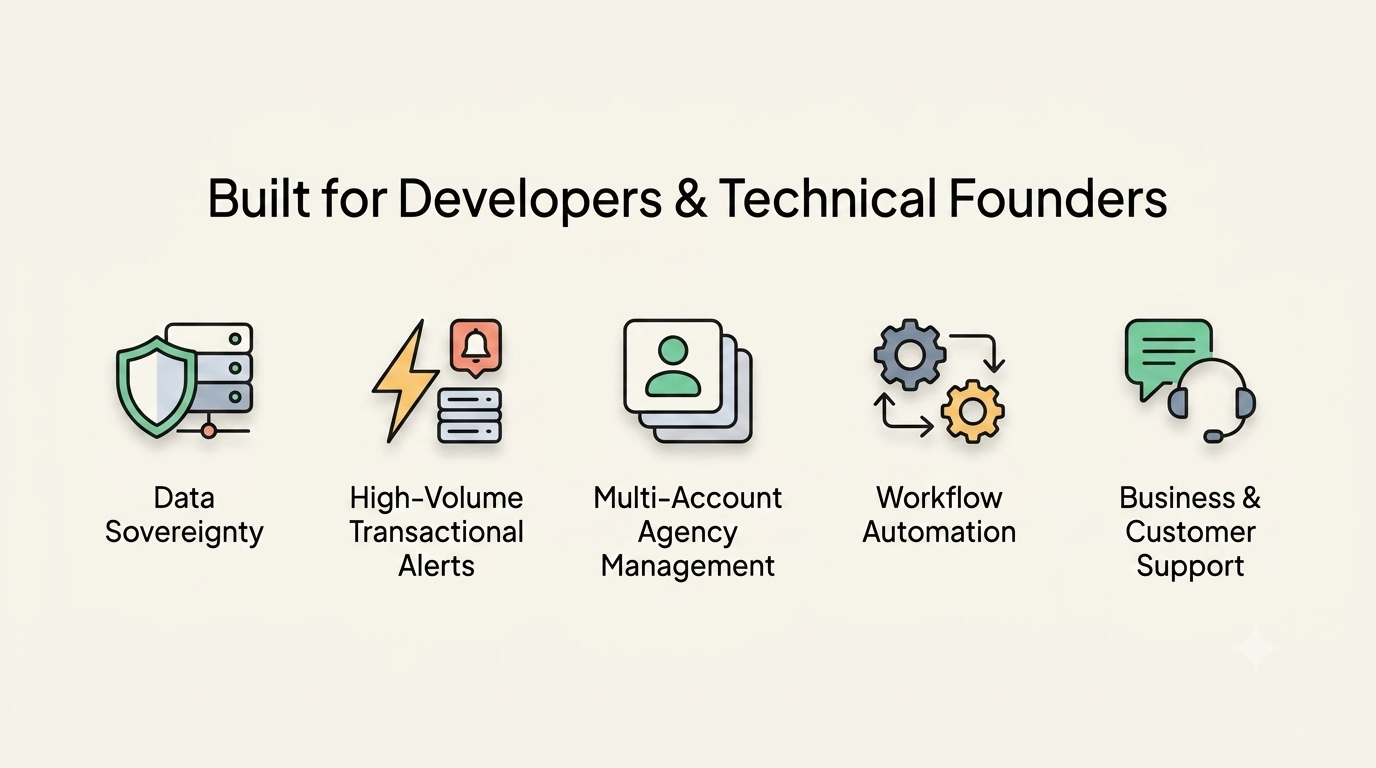
Openwa is built specifically for developers and technical founders who need to integrate WhatsApp messaging deeply into their custom software without hitting a corporate wall.
if you are looking for a simple, plug-and-play app where you can just blast promotional marketing messages from a clean dashboard.
- Developers needing absolute data sovereignty.
- lean operations running high-volume transactional alerts.
- Teams managing multi-account agencies.
- engineers building complex workflow automations.
- Businesses and customer support.
Is Openwa Free ?
Yes, openwa is completely free. It is a self-hosted, open-source project published under the MIT license, meaning you have full source code access with zero licensing fees, zero hidden paywalls, and no per-message corporate charges. The only real expenses you will run into are the third-party infrastructure costs required to host the gateway yourself, such as renting a virtual private server (VPS), setting up a PostgreSQL database, or provisioning AWS cloud storage for your media files.
Is Openwa Safe ?
Openwa is safe depends entirely on how you define safety, because it involves heavy operational compromises. On a data security level, it is highly secure since it is entirely self-hosted; your client conversations, API keys, and sensitive business records stay on your own servers and never pass through an external vendor’s middleware.
However, from an account longevity standpoint, it carries a high inherent risk because it operates by emulating a human user on WhatsApp Web through a headless browser. If you do not configure strict random message delays, warm up your phone numbers, or route traffic through localized residential proxies, Meta’s automated anti-spam algorithms will detect the mechanical behavior patterns and quickly flag or permanently ban your active number.
Is Openwa legal to use ?
Using openwa is completely legal from a public law perspective, but it directly violates the corporate Terms of Service that you explicitly agree to when creating a WhatsApp account. Because it acts as an unofficial wrapper that reverse-engineers or manipulates the WhatsApp Web interface without Meta’s authorization, it operates squarely in a gray zone of compliance.
While you will not face criminal legal charges or government fines for executing the script, Meta retains the full contractual right to permanently terminate your account and blacklist your phone number from their network for using unauthorized automated scrapers.
OpenWA vs Other Whatsapp API Projects
Openwa vs Evolution API
Evolution API is essentially a fully packaged, production-ready middleware server designed to turn unofficial WhatsApp access into a clean REST utility. While openwa gives you the raw javascript tools to drive a browser, Evolution API wraps the connection layer in a robust docker container, exposes straightforward endpoints, and handles multi-device session tokens natively out of the box.
It is heavily favored by teams who rely on visual workflow engines like n8n or customer service platforms like Chatwoot, because you don’t have to build the server infrastructure or the webhook handlers from scratch.
Openwa vs WPPConnect
wppconnect approaches the problem as a full-scale browser manipulation framework, maintained by a highly active open-source community out of Brazil. It functions quite similarly to openwa by injecting code directly into a headless Chromium instance to interact with the official WhatsApp Web layout.
The primary difference lies in its structural ecosystem. I find it is a strong alternative if you want to remain in the node.js environment but need specialized community plugins that openwa lacks, though you are still stuck babysitting server RAM to keep those heavy chromium instances alive.
Openwa vs Baileys
Baileys is a completely different beast because it abandons the browser entirely, interacting directly with whatsapp’s underlying websocket protocol. by reverse-engineering the actual network requests that the mobile app and web clients make, it allows you to run a full whatsapp connection straight from a lean node.js process without launching a single instance of chrome.
This makes it incredibly fast, cutting your server memory footprint down to a fraction of what openwa or wppconnect demands. look, the freedom is absolute here, but it means you inherit every single bit of devops frustration. you have to manually handle session data persistence, build your own retry logic for broken sockets, and accept a significantly higher risk of getting your number banned if traffic patterns look remotely mechanical to meta’s servers.
Openwa vs Whatsmeow
Whatsmeow brings the raw performance of go into the mix, operating as a low-level library that speaks the whatsapp websocket protocol natively. because it avoids both the massive memory bloat of headless browsers and the single-threaded limits of node.js, it can handle hundreds of concurrent phone sessions on a tiny virtual private server where openwa completely freeze up.
It is the tool you migrate to when you operate at massive scale and server costs are getting out of hand. the catch is that you need to be comfortable writing strict, statically-typed go code, and you lose all the comfortable abstractions of high-level web apis. anyway, it is brilliant for pure back-end engineers who care about minimal cpu footprints and raw throughput over quick, easy setup.
Openwa vs Whatsapp officlal API
The official whatsapp business api is meta’s fully sanctioned channel, and it operates on an entirely different plane from every open-source wrapper. there are no headless browsers, no reverse-engineered sockets, and absolutely zero risk of your phone number getting banned for automation because you are using their approved cloud infrastructure.
But they make you pay for that peace of mind. you have to pass strict business verification, wait days for template approvals, and pay a premium fee for every single conversation session you initiate. i tell clients that if they are a large enterprise handling financial data or running high-scale support lines, they should pay the corporate tax for the official api. but if they are a lean operation running transactional alerts on a tight budget, official compliance red tape is usually a massive project killer.
OpenWA Architecture
Core Component Overview
The architecture of openwa is fundamentally divided into a high-level API layer and a headless browser execution layer. Instead of trying to mimic network packets directly, it serves as a programmatic bridge that controls a virtual instance of Google Chrome to execute actions inside the official WhatsApp Web application. A Node.js core coordinates all incoming requests, translates them into precise browser actions, and then pipes the real-time event updates back out through webhooks. It is a structure built entirely around the philosophy that mimicking a real human browser session is the most reliable way to prevent account bans.
Server Layer
The server layer acts as the primary runtime environment, running on Node.js and typically deployed inside a lightweight Docker container. It manages the underlying operating system dependencies, configures the Puppeteer or Playwright instances, and allocates the necessary CPU and memory resources required to keep the headless browsers stable. Because running full Chromium instances is notoriously resource-heavy, this layer handles process monitoring and automated restarts if a browser context freezes. I usually tell people to provision at least 1GB of RAM per active WhatsApp session at this layer, otherwise your entire notification script will crash under heavy traffic.
WhatsApp Engine Layer
This is the absolute heart of the framework where the actual automation magic happens. The engine layer initializes the headless browser, navigates to the official web URL, and injects a custom abstraction library straight into the browser context. It hooks into the internal webpack modules of WhatsApp Web, allowing the Node.js process to call native chat functions like sending text, downloading media files, or fetching contact lists. Because Meta changes their web layout constantly, this engine layer requires frequent code patches to ensure the injected scripts can still find the correct internal hooks.
Database Layer
The database layer is responsible for maintaining state across your different automation sessions, with PostgreSQL being the standard choice for production environments. It stores essential persistent data including session configuration parameters, webhook delivery logs, active user permissions, and message queues. By keeping this data out of volatile memory, it ensures that if the server layer reboots, the system can automatically reconstruct its prior state. real project writeups often show that relying on local flat files for this scale leads to corrupted data within a month, making a robust SQL database mandatory.
Cache Layer
To keep the API responsive and prevent the headless browser from constantly re-querying the DOM, openwa uses a fast cache layer typically powered by Redis. This layer stores temporary, frequently accessed operational data such as active session tokens, rate-limiting counters, and recent message IDs to prevent duplicate processing. It acts as a vital buffer that protects both your server resources and your WhatsApp account. If you blast a massive volume of messages without a cache layer to track state, the engine will stagger, leading to execution delays that look highly mechanical to Meta’s anti-spam filters.
Storage Layer
The storage layer handles the heavy lifting for all binary assets, including incoming PDF invoices, voice notes, and promotional images. Instead of stuffing these large files directly into your SQL database, this layer pipes media uploads directly to local disk storage or external object storage buckets like AWS S3. It manages the lifecycle of these files, generating temporary download URLs and handling automatic cleanup policies so your server disk space doesn’t fill up. anyway, managing this properly is a constant headache because WhatsApp frequently changes how they expire media attachments on their own servers.
API Layer
The API layer exposes the internal capabilities of the WhatsApp engine to the outside world using standard REST endpoints and real-time Webhooks. External applications, whether it is a python backend or an internal CRM, can send a simple HTTP POST request to this layer to trigger an outbound message. Simultaneously, any incoming messages or status updates caught by the engine are instantly formatted into JSON payloads and pushed out to your configured webhook URLs. It completely standardizes the integration process, turning an unstable web interface into a predictable microservice.
Authentication Layer
The authentication layer manages the complex process of logging into the service and keeping that connection alive securely. During the initial setup, it extracts the encryption keys and authentication tokens generated by the WhatsApp Web QR code and securely saves them. It supports multi-device authentication natively, allowing the server to reconnect automatically without requiring the user to scan the QR code again after every reboot. if you do not handle these session tokens with strict file permissions, unauthorized scripts on your server could easily hijack the entire active chat session.
Dashboard Layer
The dashboard layer provides a visual, user-friendly interface to monitor the health of your automated gateway without digging through raw server logs. Built using modern frontend frameworks like React, it displays real-time connection statuses, pending message queues, server resource utilization charts, and the active login QR codes. It allows non-technical team members to jump in, view active chats, or manually re-authenticate a disconnected phone number. It serves as a helpful administrative window, though i find most developers eventually bypass it entirely once their backend webhooks are running smoothly.
Plugin System
The plugin system is a modular architecture designed to let developers extend the core functionality of openwa without modifying the underlying source code. It allows you to write custom middleware that intercepts incoming messages, formats payloads, or injects custom automated replies before the main API layer even processes them. This is where you build specific business logic like automated keyword routing, message blacklists, or custom logging integrations. It keeps the core repository lean while giving you the freedom to build highly specific, opinionated features for your unique workplace setup.
MCP Server for AI Agent
The Model Context Protocol (MCP) server layer is the newest architectural addition, specifically designed to turn openwa into a tool for autonomous AI agents. By exposing a structured schema of your WhatsApp endpoints directly to LLMs like Claude or GPT, it allows an AI agent to read chat contexts and execute messaging actions intelligently on its own. Instead of writing rigid, hardcoded if-else statements for your chatbots, the AI can independently decide when to fetch user history, send an update, or escalate a conversation. Look, it is incredibly powerful for building conversational assistants, but you absolutely must implement strict guardrails at this layer to prevent a rogue model from spamming your entire client database.
Key Features of Openwa
How Openwa works ?
Under the hood, openwa acts as a programmatic translation layer that turns traditional backend code into physical user actions on a web page. instead of reverse-engineering complex network protocols directly—which meta blocks instantly, it loads an automated browser session to interact with whatsapp web exactly like a person would.
The headless browser lifecycle
when you boot up an openwa session, the backend server uses a tool like puppeteer to launch an invisible, headless instance of google chrome. it navigates directly to the official whatsapp web portal and listens for the initialization scripts to fire.
- the authorization stage: the engine extracts the raw qr code string generated by the official whatsapp webpage, converts it into a scannable format, and exposes it through your rest api or dashboard.
- token persistence: once your phone scans that code, openwa snatches the authentication tokens and state files straight out of the browser’s local storage and saves them into your persistent storage layer. when the container reboots, it injects those tokens back into chrome to resume the session instantly without demanding another scan.
Script injection and execution
this is where the actual automation happens. instead of trying to look for html buttons or elements on the page—which would break every time whatsapp changes a single class name—openwa injects an abstract javascript layer straight into the chrome execution context.
it hooks directly into whatsapp web’s internal webpack modules via the browser’s window object.
when you execute an outbound post request via the api layer to send a picture or a document, the node.js backend translates that network request into a internal browser call. the injected script runs inside chrome, calls the native web module responsible for sending files, handles the file stream, and executes the action natively within the app.
Real-time event pipeline
listening for incoming events works in reverse. openwa registers listeners within the running browser session for core activity like onMessage, onAck (delivery receipts), and group changes.
[ WhatsApp Web Interface ]
       │  (Injected JS listens for chat events)
       ▼
[ Headless Chrome Context ]
       │  (Puppeteer pipes event string)
       ▼
[ Node.js Engine Layer ]
       │  (Signs payload with HMAC)
       ▼
[ Your External Webhook / CRM ]
when a driver sends a chat message back to your system, the browser-level event emitter captures the raw data string, serializes it into a json object, and pushes it up to the parent node.js framework. from there, the api layer attaches a cryptographic hmac signature to the payload and dispatches it straight out to your external webhook target or microservice.
Behavioral Emulation
to stay alive without triggering immediate account bans, openwa enforces artificial human constraints over the browser’s execution engine. if your script attempts to blast a massive volume of outbound text at the same millisecond, the platform’s throttling mechanism catches it. it systematically queues the outgoing data payloads, injects fake “typing…” status indicators into the specific active chat window, and randomizes the interval delay between messages to make the automated traffic footprint mimic standard human behavior.
Before you push openwa into a production server or even spin it up on a local testbed, you need your infrastructure configured properly. Because this gateway relies on a headless browser environment rather than just simple API scripts, its resource foot-print is significantly higher than your typical lightweight Node app.
Prerequisites Before Deployment
Hardware Requirements
The server hardware sizing depends entirely on how many concurrent WhatsApp account sessions you plan to keep active simultaneously. Because each session spins up an independent, headless instance of Google Chrome under the hood, memory is your main bottleneck.
- Minimum (Single Session / Dev Testing): 1 vCPU, 2 GB RAM, 10 GB SSD.
- Production Standard (2 to 5 Sessions): 2 vCPU, 4 GB RAM, 20 GB+ SSD.
- Scaling Rule: Allocate at least 1 GB of dedicated RAM per active WhatsApp phone session. If you try to pack 4 sessions onto a cheap 2 GB digitalocean droplet, the kernel out-of-memory killer will aggressively terminate your chromium processes mid-transit.
Operating System (OS)
While you can run this locally on Windows or macOS during development, your production server layer belongs on a stable Linux environment.
- Recommended: Ubuntu 22.04 LTS or Ubuntu 24.04 LTS. Debian 12 is also a rock-solid alternative.
- Production Note: If you deploy directly on the host OS instead of inside a container, you must manually install specific underlying debian packages like libxss1, libnss3, and libatk-bridge2.0-0 to give the headless browser execution layer its required system level dependencies.
Docker and Docker Compose
Using containers is the highly recommended path for openwa because it eliminates the nightmare of manual browser dependency management. The pre-built image already packages the correct Chromium binary and system libraries natively.
- Requirements: Docker Engine v24.0+ and Docker Compose v2.20+.
- Configuration Guardrail: Ensure your docker daemon has the capability to assign named volumes. You must map a persistent volume to /app/data inside the container; they had warehouse issue with session disconnects in earlier versions because developers forgot to persist the local authentication state files across container restarts.
Node.js 22 LTS
If you choose to skip Docker and run the gateway bare-metal on your server machine, your runtime environment must be explicitly locked to the modern LTS line.
- Requirement: Node.js 22 LTS (Stranz) with npm v10+.
- Tooling Note: Use a node version manager like
nvmto handle the installation rather than trusting the outdated apt repository packages. You will also need standard build tools installed (build-essential,python3) because some internal cryptographic libraries require native compilation during thenpm installphase.
Database Layer
The framework uses an ORM layer that allows you to choose your data storage engine based on your structural scale.
- Development / Small Scale: SQLite. It requires zero configuration and writes straight to a local flat file inside your persistent data directory.
- Production Scale: PostgreSQL 15 or 16. If you are handling high-volume transactional system alerts, managing multi-account agencies, or running complex AI agent workflows, you need a dedicated Postgres database instance. I found that if you don’t use an external SQL engine for production, concurrent SQLite write locks will stall your webhook retry queues during peak traffic.
How to setup Opewa ?
Depending on whether you want a quick, clean deployment on your local computer or full access to the source code for building deep modifications, the installation path changes completely.
Here are the step-by-step instructions for both approaches.
Option A: Setup via Docker Desktop (Recommended for Quick Deployment)
This is the fastest path to a running gateway. It uses the pre-compiled production images so you do not have to mess around with downloading browser dependencies or setting up system environments.
1. Configure Your Project Directory
Open your terminal (macOS/Linux) or PowerShell (Windows) and create a fresh working environment to hold your persistent configurations.
mkdir openwa-docker
cd openwa-docker
2. Define the Local Stack Layout
Create a file named docker-compose.yml inside that folder. For local machine usage with Docker Desktop, you can leverage the internal embedded SQLite configuration to keep things incredibly lightweight.
version: '3.8'

services:
  # Secured sidecar proxy to shield your docker socket
  docker-proxy:
    image: tecnativa/docker-socket-proxy
    privileged: true
    volumes:
      - /var/run/docker.sock:/var/run/docker.sock:ro
    environment:
      - CONTAINERS=1
      - IMAGES=1
      - VOLUMES=1
      - POST=1
      - DELETE=1
    networks:
      - openwa-local

  # The central API Gateway and Dashboard engine
  openwa-gateway:
    image: rmyndharis/openwa:latest
    container_name: openwa-gateway
    ports:
      - "2785:2785"
    volumes:
      - ./data:/app/data
    environment:
      - DOCKER_HOST=tcp://docker-proxy:2375
      - NODE_ENV=production
      - PORT=2785
      - ADMIN_API_KEY=owa_k1_local_dev_key_9988
      - DB_TYPE=sqlite
      - CACHE_TYPE=memory
      - STORAGE_TYPE=local
    depends_on:
      - docker-proxy
    networks:
      - openwa-local

networks:
  openwa-local:
    driver: bridge
3. Initialize the Containers
Make sure your Docker Desktop application is running in the background. Execute the initialization routine from your terminal:
docker compose up -dGive the backend roughly thirty seconds to pull the base image layers and set up the localized SQLite files. You can check the active setup progress by trailing the logs:
docker logs openwa-gateway -fOption B: Setup via GitHub (Recommended for Developers/Customizations)
Use this path if you want to work directly with the raw TypeScript source codebase, modify internal module logic, or run the system natively without any container layer virtualization.
1. Pull the Source Code
Clone the core framework directly from the official GitHub repository and move your terminal context right into the root package folder.
git clone https://github.com/rmyndharis/OpenWA.git
cd OpenWA
2. Lock Down Dependencies
Ensure you have Node.js 22 LTS active on your computer environment. Install the explicit codebase packages using the package manager package tree:
npm installWindows Note: If your terminal blocks during this step, your machine is likely missing the standard C++ compilation tools required for native cryptographic dependencies. Run
npm install --global --production windows-build-toolsfrom an elevated PowerShell window to resolve it.
3. Establish Local Configurations
The source layout looks for environmental values to scale the core engine modules. Create a localized configuration file:
cp apps/api/.env.example apps/api/.envOpen that newly created apps/api/.env file and verify the following environment parameters are mapped out correctly to enable local development structures:
PORT=2785
ADMIN_API_KEY=owa_k1_github_source_key_5544
DB_TYPE=sqlite
CACHE_TYPE=memory
STORAGE_TYPE=local
4. Build and Fire the Development Target
Compile the TypeScript entities and spin up the runtime engines. In the raw source repository setup, the UI dashboard runs separately to enable hot-reloads.
npm run devThe console log matrix will output confirmation paths showing that the core API server layer is live on port 2785, while the accompanying frontend Vite dashboard environment has mounted on port 2886.
Linking Your First WhatsApp Account
Regardless of whether you chose Option A or Option B, the final activation process remains exactly identical.
- Open your web browser layout and navigate to the local panel address: http://localhost:2785 (or port 2886 if running via raw GitHub dev mode).
- Input the explicit security token key string you defined inside your configuration settings (owa_k1_local_dev_key_9988 or owa_k1_github_source_key_5544).
- Click over to the Sessions management card, select Create Session, and enter a simple tracking label like internal-tester.
- The background engine will spawn a headless browser routine and generate a fresh login QR block right on your screen grid.
- Grab your physical smartphone device, access your native WhatsApp client application settings, tap on Linked Devices, and scan the generated browser matrix. Look, it takes roughly ten seconds for the session state layers to initialize, after which your gateway is active and fully ready to receive automated REST calls.
FAQ / Frequently Asked questions
What is OpenWA?
It is a self-hosted Node.js framework that acts as a developer wrapper around the official WhatsApp Web application. By launching a headless instance of Chrome in the background, it injects code straight into the browser context to expose standard programmable REST endpoints and webhooks, completely bypassing Meta’s corporate approval pipelines.
Is the WhatsApp API free?
Meta’s official WhatsApp Business API is absolutely not free; they charge a strict per-conversation fee based on whether the chat is user-initiated or business-initiated. openwa itself is free and open-source under the MIT license, but you still inherit the underlying server costs, database maintenance, and the operational risk of running unofficial automation.
Is WhatsApp open-source software?
No, WhatsApp is a proprietary, closed-source platform owned entirely by Meta. Open-source libraries like openwa, Baileys, or wppconnect do not have access to internal WhatsApp source code; they operate strictly by reverse-engineering network protocols or manipulating the web browser interfaces that Meta makes publicly available.
Can I create my own WhatsApp API?
Yes, and that is exactly what deploying openwa achieves. By wrapping a headless browser in a Docker container and exposing custom endpoints, you effectively turn a standard WhatsApp account into a private messaging API gateway that you fully own and control on your own cloud infrastructure.
How can I send 10,000 messages on WhatsApp?
If you try to blast 10,000 promotional messages rapidly using an unofficial wrapper like openwa, Meta’s automated anti-spam algorithms will blacklist your phone number before you hit the thousandth text. To send at that volume without a ban, you either have to use Meta’s official cloud API or implement massive multi-account rotation pipelines equipped with randomized human-like typing delays and localized residential proxies.
What is the cost of WhatsApp API in India?
For the official Meta API, the pricing fluctuates based on conversation categories (utility, marketing, authentication) and typically ranges from roughly 30 paise to 80 paise per 24-hour conversation window. With openwa, the per-message cost is exactly zero, meaning your only expenses are the standard hosting charges for your Linux VPS or AWS instances.
Is WhatsApp OTP API free?
No, authentication and OTP messages sent via the official business API carry specific per-conversation charges that vary by country network. While you can technically build your own free OTP delivery script using openwa, i heavily advise against it for critical security flows; if your automated number gets suddenly banned mid-day, your entire user login pipeline goes completely dead.
Does WhatsApp have a personal API?
Meta does not provide an official programmable API for personal WhatsApp accounts, offering only the standard “wa.me” click-to-chat links. If you need deep backend integration, automated database logging, or programmatic triggers for a personal or standard business phone number, unofficial headless wrappers are your only real technical choice.
What is API in WhatsApp?
An API in this context is a structured software intermediary that allows external applications—like your inventory database, python analytics engine, or an AI agent—to programmatically read data from and write messages to the WhatsApp network without manual human clicking.
Why is WhatsApp API so expensive?
Meta intentionally prices the official business API to monetize their infrastructure and tightly control the user experience. By enforcing strict template approvals and per-conversation fees, they create a financial barrier that prevents businesses from completely spamming their user base with low-quality marketing text.
Which is the best WhatsApp API provider in India?
If you are taking the official route, Meta themselves or verified aggregators like Gupshup and Twilio are the standard industry choices. But if your project budget is lean and you want a self-hosted, unofficial open-source gateway, Evolution API and openwa are easily the best frameworks available due to their active developer communities.
How can I automate my WhatsApp Business for free?
You deploy openwa on an existing development server or a cheap local machine using Docker Compose, hook the incoming webhooks up to an open-source automation engine like n8n, and script your response logic. This sets up a highly flexible, completely free automation layer, though you must accept that the setup requires ongoing developer maintenance to survive Meta’s silent web layout updates.

Shubham Gupta is the Founder and Senior AI/LLM Data Scientist at QuantG. With 4.5 years of technical experience engineering advanced machine learning pipelines and large language model architectures, he is dedicated to delivering high-performance, enterprise-grade AI solutions. Under his leadership, QuantG drives technical innovation by building scalable, zero-latency data systems designed for real-world impact. Connect with him on LinkedIn to follow his latest development frameworks.