Accepting 2 selective client engagements for Q3 2026

Building AI Agents in Python: A Practical Guide to LangChain & CrewAI (2026)
How to build production-ready AI agents in Python using CrewAI and LangChain. A guide to tool calling, multi-agent workflows, and solving real-world errors.

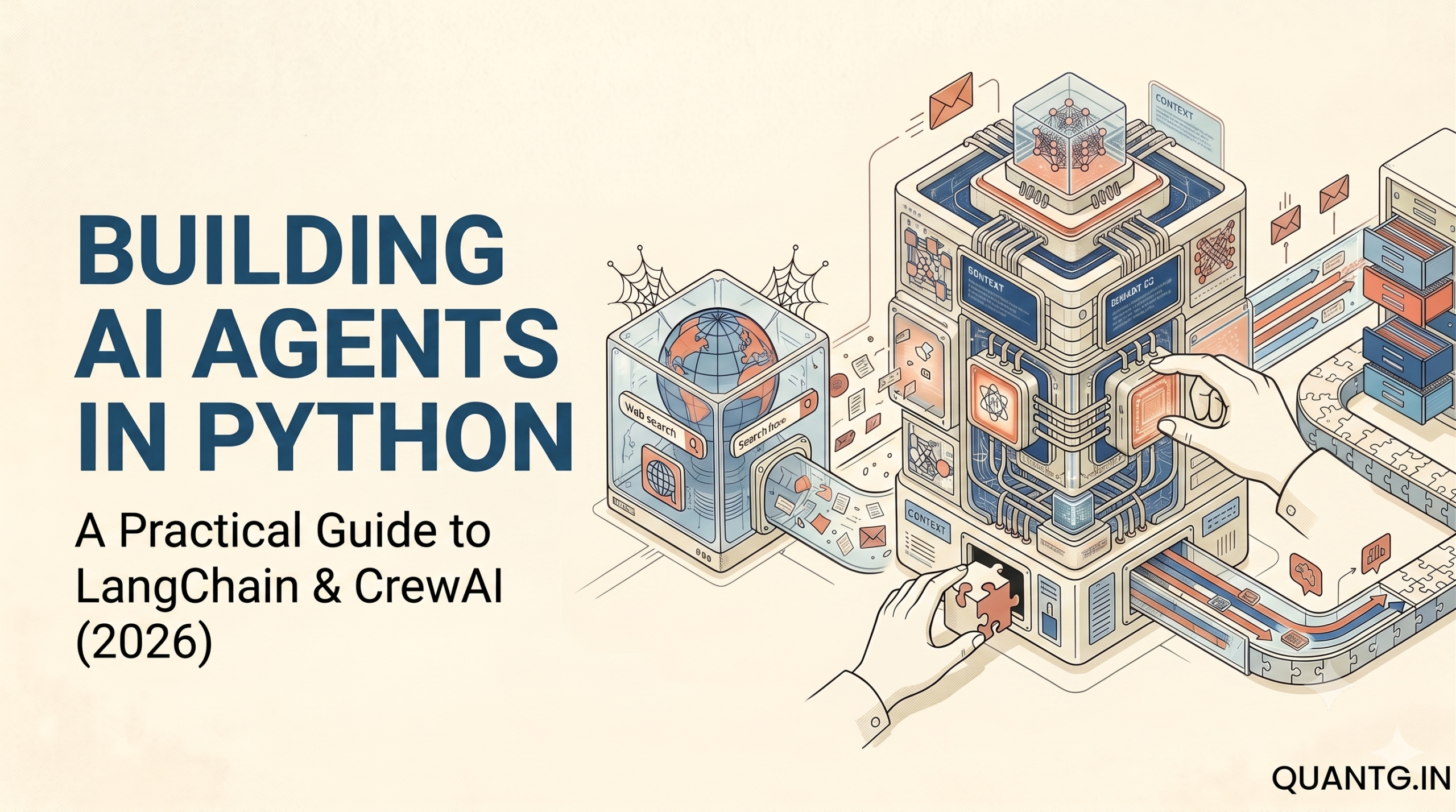
Building AI agents usually sounds much easier than it actually is. Tutorials make it look like you can just write a prompt, hand it to a language model, and watch it do your job.
When I first started wiring up agents, my scripts broke constantly. The agents got stuck in endless loops. They hallucinated fake data. Or they just stopped working and stared blankly at the terminal while burning through my API credits.

If you have tried building an AI agent recently, you know what this feels like. A basic script works fine for summarizing a single text file. But when you try to use it for a real workflow—something that requires multiple steps, parsing different data formats, and handling unexpected website errors—the agent gets confused. It calls the wrong tools. It forgets its original instructions.
I will show you how to build AI agents in Python using LangChain and CrewAI that actually work. We will cover basic tool calling, orchestrating multi-agent teams, and handling the errors that happen in production.
The state of AI agents in 2026
We are well past the initial hype phase of generative AI. A year or two ago, developers thought they could just prompt a large language model and let it figure out the rest.
Now we know that LLMs need structure and strict constraints to be useful.
When you build an AI agent, you are building a software system. You have to give the AI access to tools, define exactly how it should use those tools, and set up guardrails. You also have to handle state, manage memory, and parse the output so your traditional software can process what the AI generates.
LangChain and CrewAI solve different parts of this problem.
LangChain is the foundational plumbing. It handles tool calling, prompt templates, memory abstractions, and execution loops. It connects the language model to the API.
CrewAI sits a level higher. Built by João Moura and his team, CrewAI makes agents ready for production by focusing on multi-agent systems. Instead of making one agent try to do everything, you create a team of specialized agents that work together, complete with roles, backstories, and specific goals.
Setting up the environment
Managing Python dependencies for AI projects can get messy because the packages update constantly. You should do this inside a fresh virtual environment.
First, create and activate your environment:
python -m venv venv
source venv/bin/activate  # On Windows use `venv\Scripts\activate`
Install the core libraries. We need LangChain for the plumbing, CrewAI for the orchestration, and a few web scraping libraries for our tools.
pip install langchain langchain-google-genai crewai duckduckgo-search beautifulsoup4 pydantic python-dotenvYou need an API key. For this guide, I use the Gemini 2.5 Flash model from Google. It handles reasoning reliably, the API is fast, and it costs much less than heavier models when running multi-step agent workflows that consume high token counts.
Create a .env file in your project directory to store your keys securely:
GEMINI_API_KEY="YOUR_API_KEY_HERE"How a single LangChain agent works
Before you start building multi-agent teams, you need to understand how a single agent works under the hood. Debugging a team of agents is nearly impossible if you do not understand the underlying mechanics.
An agent in LangChain requires three parts:
- The language model that does the reasoning.
- The Python functions (tools) the model can call to interact with the outside world.
- The runtime loop (AgentExecutor) that manages the cycle of thinking, acting, and observing.
Let’s build a research agent. Its goal is to search the web, scrape website content, and summarize what it finds to generate sales leads.
Defining the tools
Tools are just Python functions wrapped in a specific format so the language model understands them. The model cannot browse the web natively. We have to give it a function that takes a search query as a string and returns search results as a string.
First, we handle our imports and initialize the built-in DuckDuckGo search tool.
import os
import re
import requests
from bs4 import BeautifulSoup
from dotenv import load_dotenv
from langchain_community.tools import DuckDuckGoSearchRun
from langchain.tools import Tool

load_dotenv()

search = DuckDuckGoSearchRun()
Relying only on search snippets is a bad idea because search engines often truncate important details. We want our agent to actually visit the website and read the content.
Here is a scraping function that fetches the HTML, strips out the tags, and limits the output so we do not hit our API token limit.
def scrape_website(url: str) -> str:
    """Scrapes the text content from a given URL."""
    try:
        headers = {'User-Agent': 'Mozilla/5.0 (Windows NT 10.0; Win64; x64)'}
        response = requests.get(url, headers=headers, timeout=10)
        response.raise_for_status()

        soup = BeautifulSoup(response.content, "html.parser")

        text = soup.get_text(separator=" ", strip=True)
        text = re.sub(r'\s+', ' ', text)

        return text[:5000]
    except Exception as e:
        return f"Error scraping website: {e}"
Finally, we wrap the search function and the scrape function into LangChain Tool objects.
The description fields are critical. The language model reads these descriptions to figure out which tool to use. If your descriptions are vague, the model will guess the arguments or call the wrong tool entirely. Be explicit.
search_tool = Tool(
    name="search",
    func=search.run,
    description="Search the web for information. Use this to find URLs and general facts."
)

scrape_tool = Tool(
    name="scrape",
    func=scrape_website,
    description="Scrape the text content of a URL. Provide a valid HTTP URL as input."
)

tools = [search_tool, scrape_tool]
Writing the prompt
Next, we initialize the Gemini model and write a strict system prompt.
from langchain_google_genai import ChatGoogleGenerativeAI
from langchain.prompts import ChatPromptTemplate

llm = ChatGoogleGenerativeAI(model="gemini-2.5-flash", temperature=0.2)
The system prompt acts as the operating instructions for the agent. We state its job clearly, and we instruct it not to guess or invent facts. We also include a placeholder for the agent_scratchpad.
prompt = ChatPromptTemplate.from_messages([
    (
        "system",
        "You are a B2B research assistant. Answer questions by searching the web and reading articles. "
        "Always use your tools to find accurate information. Do not guess. Do not make up facts. "
        "When asked to find companies, search for them, scrape their websites to verify what they do, and return a clean summary."
    ),
    ("human", "{input}"),
    ("placeholder", "{agent_scratchpad}"),
])
The scratchpad is where LangChain stores the history of the tools the agent has called during the current run. Without the scratchpad, the agent has amnesia. It would run a search, receive the text, and immediately forget why it ran the search in the first place.
Running the execution loop
Now we wire the language model, the tools, and the prompt together using an executor.
The AgentExecutor manages the while-loop. It passes the prompt to the model, parses the model’s request to use a tool, runs the tool in Python, appends the result to the scratchpad, and passes the updated prompt back to the model.
from langchain.agents import create_tool_calling_agent, AgentExecutor

agent = create_tool_calling_agent(llm, tools, prompt)

agent_executor = AgentExecutor(
    agent=agent,
    tools=tools,
    verbose=True,
    max_iterations=5
)
We limit max_iterations to 5. If the agent gets confused and starts searching in a loop, this limit forces it to stop and return its best answer, saving you from a massive API bill.
Finally, we invoke the agent with a query.
print("Starting the LangChain Agent...")
response = agent_executor.invoke({
    "input": "Find a local plumbing company in Seattle. Tell me their name, what specific services they offer based on their website, and their phone number."
})

print("\nFINAL OUTPUT:\n")
print(response["output"])
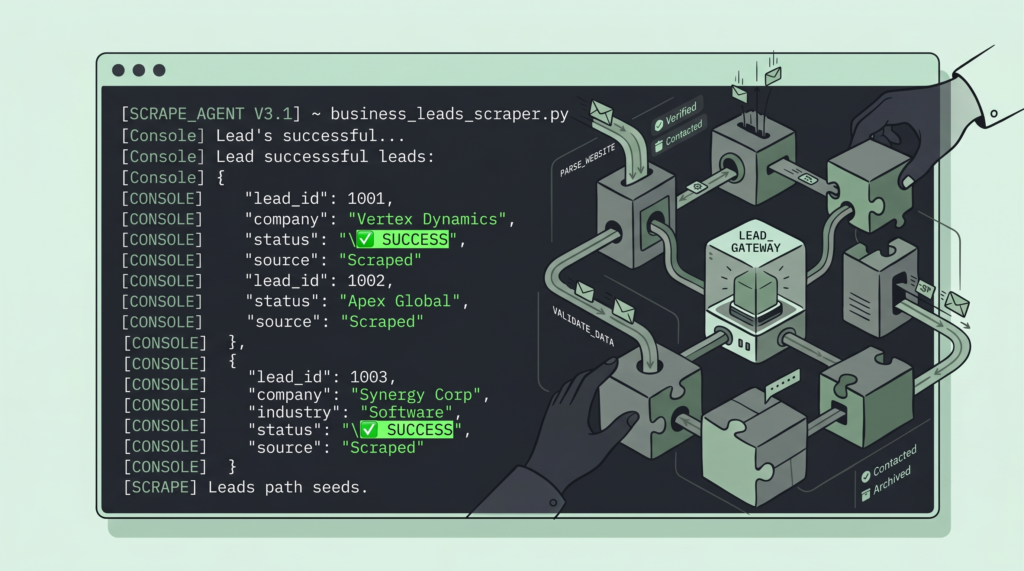
When you run this code, the terminal output shows the thought process of the model. It realizes it needs to search for “plumbing companies Seattle”. It gets the search results, extracts a URL, calls the scrape tool on that URL, reads the 5,000 characters of text we allowed it to see, and formulates the final answer.
This setup handles single tasks fine. But problems start when you increase the complexity.
If you ask one agent to find five companies, research each one, cross-reference their services against a technical requirement, format the contact info into a JSON object, and write a personalized email for each one, the script will likely fail. The agent will lose track of the steps. It might search for five companies but only write emails for two. The context window fills with too much unstructured information, and the model loses focus.
To solve multi-stage problems without the model breaking down, you need a specialized team.
Building teams with CrewAI
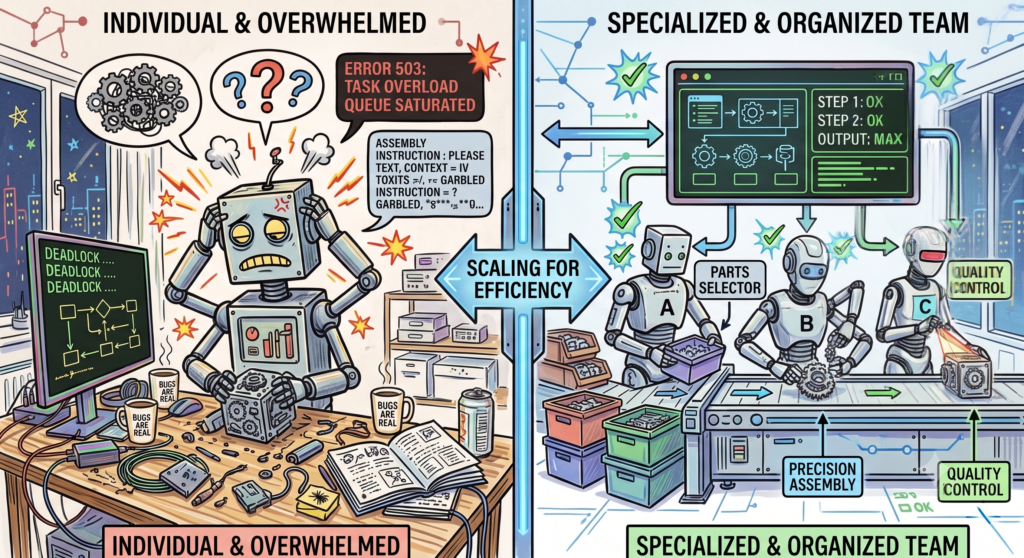
CrewAI approaches agent architecture differently. Instead of writing one massive prompt to control a single process, you break the work down into roles.
You treat the AI agents like human employees.
If you ran a lead generation agency, you would not hire one person to do the research, write the copy, and manage the database at the same time. The context switching would ruin their productivity. You would hire a researcher to find the data, and a copywriter to turn that data into emails.
CrewAI lets you recreate that exact structure in Python by assigning distinct backstories, goals, and tasks to specialized agents.
Setting up the roles
We will use the same tools we built for LangChain. CrewAI sits on top of LangChain, so you can pass LangChain tools directly into CrewAI agents.
First, we create the Researcher agent. The backstory parameter provides psychological context for the model.
from crewai import Agent

researcher = Agent(
    role='Senior B2B Data Researcher',
    goal='Find local small businesses in Vancouver that need IT services',
    backstory='You find B2B leads online. You know how to search effectively and extract accurate contact info. You ignore large corporations and focus strictly on small, local businesses.',
    verbose=True,
    allow_delegation=False,
    tools=[search_tool, scrape_tool],
    llm=llm
)
Next, we create the Writer agent. The writer does not need access to the search tools. It only processes text. We give it a strict backstory to keep it from using generic marketing speak.
writer = Agent(
    role='Outreach Specialist',
    goal='Write short, highly personalized emails to the businesses found by the researcher',
    backstory='You write emails that get replies. You keep it short and professional. You never use corporate jargon. You write like a normal human being.',
    verbose=True,
    allow_delegation=False,
    llm=llm
)
Isolating these instructions into distinct agents prevents the instruction drift that usually ruins long prompts.
Assigning the work
In CrewAI, you create Task objects and assign them to specific agents.
The first task is for the researcher. We tell it exactly what to find and how to format the data.
from crewai import Task

research_task = Task(
    description='Search the web to find exactly 3 local small businesses in Vancouver (e.g., plumbers, accountants, roofers). Use the search tool to find them, then use the scrape tool on their website to verify what they do. Extract their company name, a 1-sentence summary of their services, and their contact email or phone number.',
    expected_output='A structured markdown list of 3 businesses with their names, descriptions, and contact info.',
    agent=researcher
)
The second task is for the writer. It depends entirely on the output of the first task.
write_task = Task(
    description='Review the list of 3 businesses provided by the researcher. Write a 3-sentence outreach email for each business. The email should mention what they do to prove we looked them up, and briefly pitch our managed IT services. Do not invent information. If you lack details, keep the email general but polite.',
    expected_output='Three distinct, plain-text emails formatted cleanly under the name of each company.',
    agent=writer
)
The expected_output string forces the agent to format its final response in a specific way, making the handoff to the next agent much smoother.
Running the workflow
Now we assemble the agents and tasks into a Crew.
By default, CrewAI runs sequentially. It processes the tasks in the order you provide them. The researcher completes research_task, and when it finishes, CrewAI takes the output string and appends it to the context of write_task.
from crewai import Crew, Process

lead_crew = Crew(
    agents=[researcher, writer],
    tasks=[research_task, write_task],
    process=Process.sequential,
    verbose=True
)
Starting the crew requires a single line of code.
print("Starting the CrewAI workflow...")
result = lead_crew.kickoff()

print("\n" + "="*50)
print("FINAL CREW RESULT")
print("="*50 + "\n")
print(result)
When you run this, the researcher agent starts executing. It uses DuckDuckGo, scrapes the websites, summarizes the three businesses, and stops.
CrewAI automatically passes the text to the writer agent. The writer agent wakes up, reads the researcher’s list, and drafts the emails. It never searches or scrapes—it just writes.
Splitting the work keeps the language model from getting confused.
Getting structured JSON output
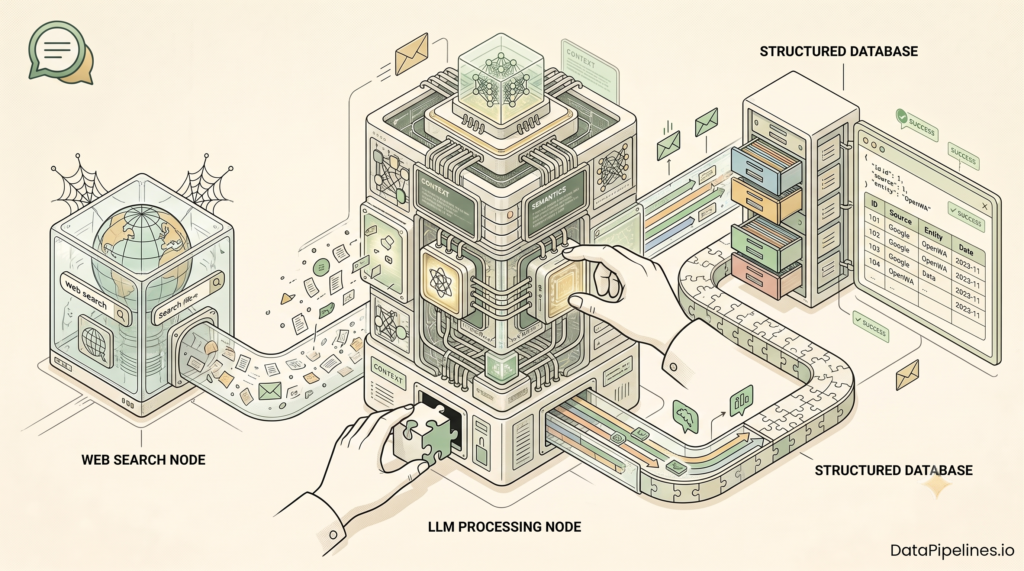
In a production environment, you rarely want an AI agent to output a raw block of markdown text. If you are building this into an application, you need structured data so you can insert the leads directly into a database or a CRM.
CrewAI supports Pydantic models to force the output into a strict JSON schema.
First, define the Pydantic schema for the lead data.
from pydantic import BaseModel
from typing import List

class Lead(BaseModel):
    company_name: str
    contact_info: str
    service_summary: str
    outreach_email: str

class LeadList(BaseModel):
    leads: List[Lead]
Next, modify the writer task. You pass the LeadList schema directly to the output_pydantic argument.
structured_write_task = Task(
    description='Review the list of businesses. Write a 3-sentence outreach email for each. Format the entire final response as a JSON object matching the requested schema.',
    expected_output='A JSON object containing a list of leads.',
    agent=writer,
    output_pydantic=LeadList
)
We assemble the crew the same way, but when we check the result, we access the .pydantic attribute.
structured_crew = Crew(
    agents=[researcher, writer],
    tasks=[research_task, structured_write_task],
    process=Process.sequential,
    verbose=True
)

structured_result = structured_crew.kickoff()

if structured_result.pydantic:
    for lead in structured_result.pydantic.leads:
        print(f"Company: {lead.company_name}")
        print(f"Email Draft: {lead.outreach_email}\n")
This bridges the gap between unpredictable language models and standard software architecture.
What breaks in production
These systems are highly capable, but they are still chaotic. Here is what actually goes wrong when you run this code outside of a tutorial, and how you fix it.
Rate limits and blocking
If you rely on free tools like DuckDuckGo search, you will get rate-limited.
If you scrape websites using basic requests and BeautifulSoup, you will eventually hit a site protected by Cloudflare or standard bot protection. Your scrape tool will return an HTTP 403 error.
When a tool fails, the agent panics. It might try the tool again endlessly, eating up tokens. Or it might give up and hallucinate an answer to satisfy the prompt.
You need robust tools. Stop using free search scraping and pay for a search API like Tavily, Serper, or Google Programmable Search. For scraping, use APIs like Firecrawl or ScraperAPI that handle JavaScript rendering and anti-bot bypasses automatically.
You also need strict error handling in your tool functions. If a scrape fails, return a string to the model saying: "Error: Could not access website. Please rely on search snippets or skip this company." Tell the model exactly what to do when it fails.
Context window overflow
If your researcher agent scrapes five massive, unoptimized enterprise websites, it might pull in 100,000 tokens of raw HTML, tracking scripts, and footer text.
When the context window gets bloated, your API bill skyrockets, and the agent loses its context. It ignores instructions and forgets its original goal.
Always truncate your scraped text. In the scrape tool I provided earlier, I hardcoded a limit: text[:5000]. Five thousand characters is usually enough text to figure out what a small business does and find an email address. Do not let the model read the entire internet.
Infinite loops
An agent can easily get stuck in a logic loop. It searches for a specific piece of information, does not find it, and then searches for the exact same query again.
Because you pay for language models by the token, an infinite loop will drain your API credits fast.
LangChain’s AgentExecutor has a built-in safeguard for this called max_iterations. Always set this parameter. CrewAI also has max_iter settings at the agent level. If the agent hits that limit, it forces a stop and returns the best answer it has. Never push an agent to production without a hard iteration limit.
Hallucinated tools
Sometimes the language model decides to call a tool that does not exist. It might invent a tool called send_email or book_meeting just because it thinks it should.
This usually happens when your tool descriptions are poor, or your system prompt is ambiguous. You have to be aggressively explicit. Add lines to your prompt like: "You only have access to the search and scrape tools. Do NOT attempt to use any other tools. Do not invent tools."
Choosing between LangChain and CrewAI
After building with both frameworks, the decision is fairly straightforward.
Use raw LangChain (or LangGraph) when you need absolute, granular control over the execution loop. If you are building a system where the workflow is highly dynamic—for example, if the user input changes the sequence of operations every single time—LangChain gives you the ability to build complex, conditional state machines. It takes more effort to write, but it gives you maximum flexibility.
Use CrewAI when the workflow is predictable but the cognitive load is high. If you know the steps (Research, then Write, then Review), CrewAI abstracts away the tedious routing logic and lets you focus on crafting the perfect roles for your specialized agents. It is significantly faster to develop with, and it is much easier to debug because the terminal output clearly shows which specific agent failed.
Final thoughts
Building AI agents is no longer a theoretical exercise. You can write the code today to automate massive chunks of cognitive labor.
Start with a single LangChain agent to understand how tool calling and the execution loop works. Once you grasp that, use CrewAI to orchestrate complex workflows without breaking the model’s focus.
Keep your tools simple and error-proof. Write clear, conversational backstories. Expect the web scraper to break, and write error handling for it.
Agents are not going to replace software engineering anytime soon. We just have to get better at managing the chaos they introduce.

Shubham Gupta is the Founder and Senior AI/LLM Data Scientist at QuantG. With 4.5 years of technical experience engineering advanced machine learning pipelines and large language model architectures, he is dedicated to delivering high-performance, enterprise-grade AI solutions. Under his leadership, QuantG drives technical innovation by building scalable, zero-latency data systems designed for real-world impact. Connect with him on LinkedIn to follow his latest development frameworks.